
Edit PDF
Edit the text of a PDF without uploading it anywhere
Fix a date, a name or an amount right in the PDF. InkognitoPDF changes the text keeping its font, size and color, and it all happens in your browser.
Edit a PDF Free, no account, and your files are never uploaded.
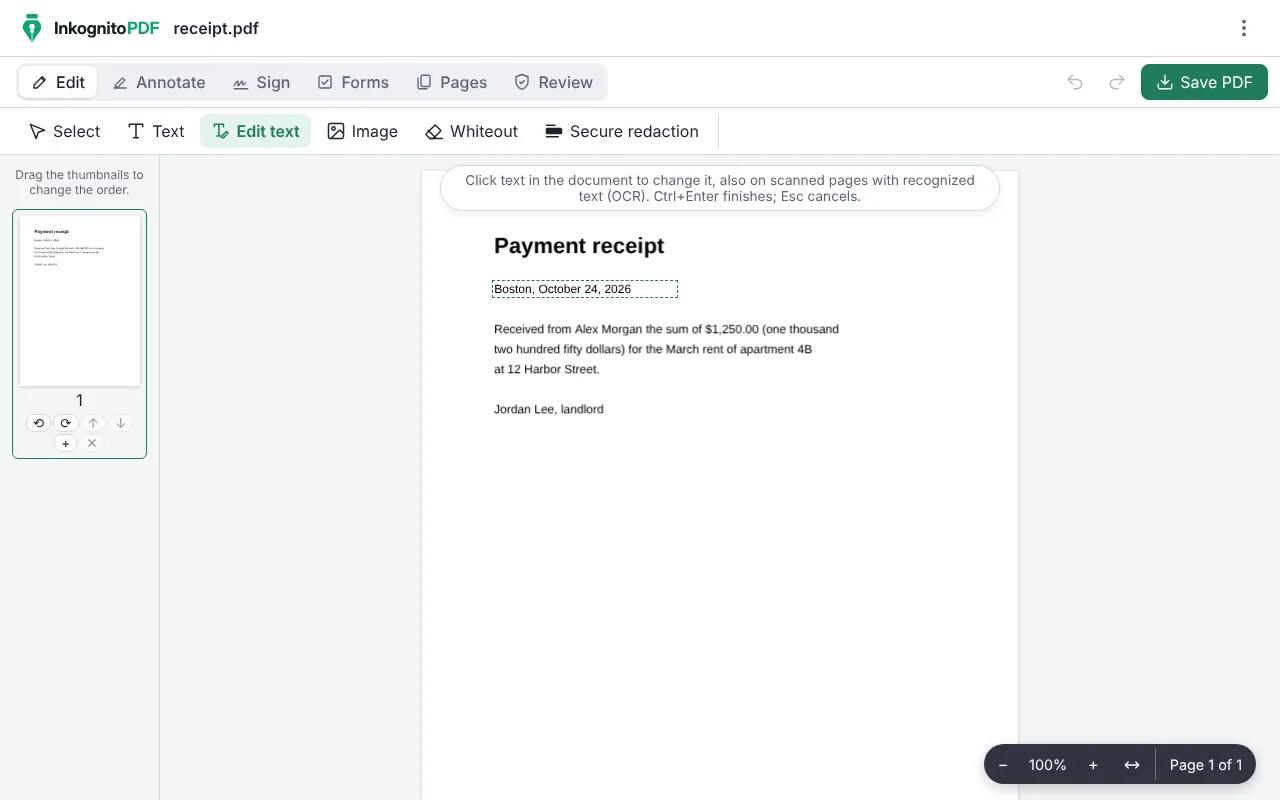
How to edit the text of a PDF
- Tap “Edit a PDF” and open the file.
- Choose “Edit text” and click (or tap) the text you want to change.
- Type the new text: it keeps the font, size and color of the original.
- Save the PDF to your device.
Why do it with InkognitoPDF
Keeps the formatting
The new text uses the same font, size and color, so the change does not show.
Scans too
On scanned pages, recognize the text with OCR first, then edit it like any other.
No upload
Invoices, contracts and certificates are edited in your browser. The PDF never goes through a server.
Frequently asked questions
Can I edit a scanned PDF?
Yes, if you recognize its text first with the OCR button. Then you edit it like a regular PDF.
Can I add text, images or cover something up?
Yes: add free text, images and whiteout, and reorder, rotate or delete pages.
Is it free?
Yes, with no file limits, no watermark and no account. The code is open source (Apache-2.0).
Other things you can do
- Sign a PDF Draw your signature or sign with a digital certificate.
- Scan a document Photos of paper to a clean black-and-white PDF.
- Merge PDF Combine several PDFs and put the pages in order.
- Compress a PDF Make it small enough for email or chat.
- Fill out a form Complete fields, checkboxes and lists, and sign.
- Redact personal data Really remove ID numbers, accounts and emails.
- Scanned PDF to text (OCR) Recognize the text so you can search and copy it.
- CamScanner alternative Scan with no watermark, no subscription and no cloud.
- Scan both sides of an ID card Front and back on one A4 page, at real size.
- iLovePDF alternative The everyday PDF tasks, without uploading files.