
Secure redaction
Redact personal data in a PDF so it is really gone
A black box on top is not enough: the text is still underneath and can be copied. Secure redaction deletes what is in each area from the file and covers it in black.
Redact a PDF now Free, no account, and your files are never uploaded.
How to redact a PDF
- Press “Redact a PDF now”, open the PDF and choose the “Secure redaction” tool.
- Drag over what you want to remove, or search for a word or a number and press “Mark matches”.
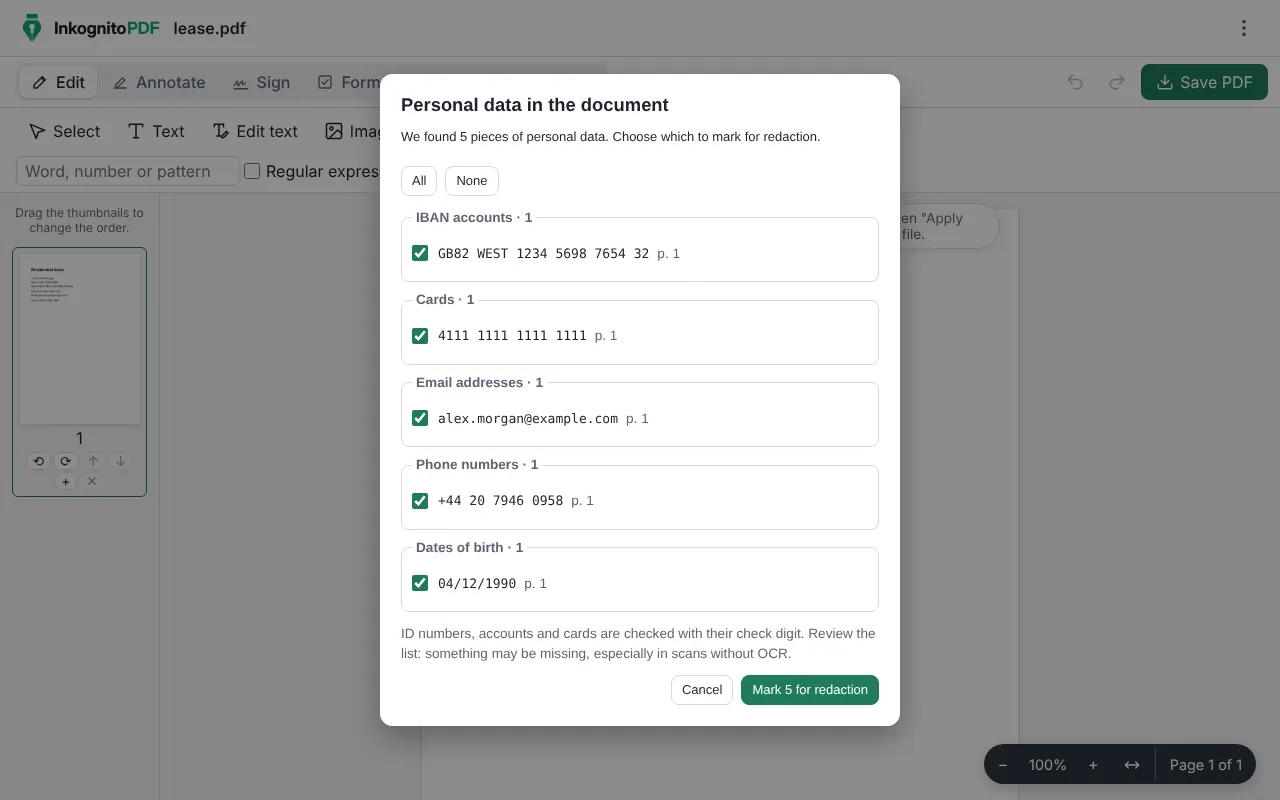
- Press “Personal data” to find ID numbers, IBANs, cards, emails and phone numbers, and choose which ones to mark.
- Press “Apply redaction” and save. If you like, remove the document metadata too.
Why do it with InkognitoPDF
Really removed
The text, images, drawings and fields under each area are deleted from the file. Nothing is left to copy or search.
Finds what you might miss
It recognizes Spanish DNI and NIE, Colombian ID numbers, Chilean RUT, Argentine CUIT, Mexican CURP, Brazilian CPF, IBANs and cards, and checks the check digit of those that have one.
No upload
Sending sensitive data to someone else’s server just to remove it makes no sense. Here everything happens in your browser.
Frequently asked questions
Why is a black rectangle not enough?
Because the text is still in the file under the rectangle: anyone can select it and copy it. Secure redaction deletes it.
Does it work with scanned documents?
You can mark areas by hand on any page. For search and “Personal data” to find text in a scan, recognize its text with OCR first.
Can I undo it?
In the editor, yes, until you save. In the saved file the redaction is permanent: keep a copy of the original if you need it.
Other things you can do
- Sign a PDF Draw your signature or sign with a digital certificate.
- Scan a document Photos of paper to a clean black-and-white PDF.
- Edit the text of a PDF Change the text and keep its font, size and color.
- Merge PDF Combine several PDFs and put the pages in order.
- Compress a PDF Make it small enough for email or chat.
- Fill out a form Complete fields, checkboxes and lists, and sign.
- Scanned PDF to text (OCR) Recognize the text so you can search and copy it.
- CamScanner alternative Scan with no watermark, no subscription and no cloud.
- Scan both sides of an ID card Front and back on one A4 page, at real size.
- iLovePDF alternative The everyday PDF tasks, without uploading files.