
Merge PDF
Merge PDFs into one, for free and without uploading
Pick the files, put the pages in order and save a single PDF. It all happens in your browser: your documents never leave your device.
Merge PDFs now Free, no account, and your files are never uploaded.
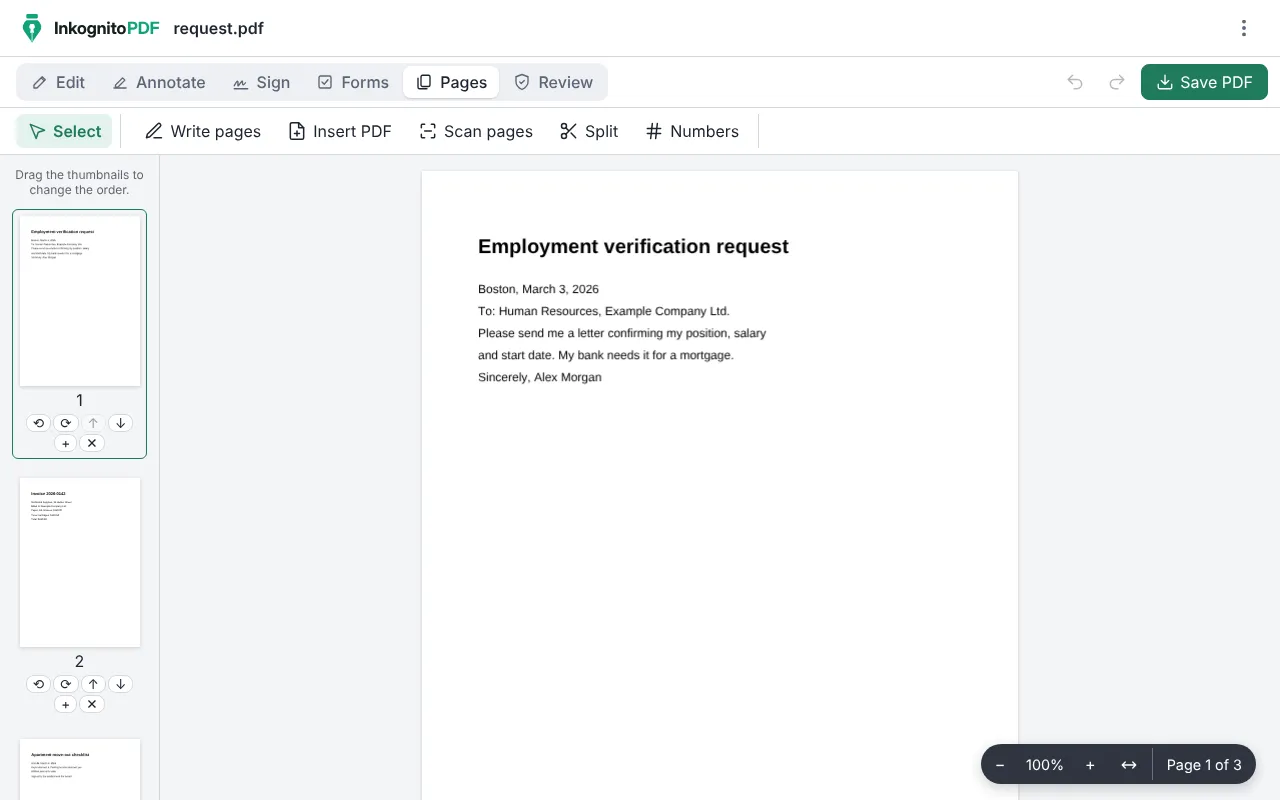
How to merge PDF files
- Press “Merge PDFs now”, then “Open PDF”.
- Select all the PDFs at once: with Ctrl or Shift on a computer, or by tapping several on a phone. They open merged into one document.
- In “Pages”, drag the thumbnails to change the order. There you can also rotate or delete pages, or add another PDF at the end with “Insert PDF”.
- Press “Save PDF” and download the merged file.
Why do it with InkognitoPDF
Your files stay with you
Bank statements, invoices or medical records: the PDFs are merged in your browser and never pass through a server.
No limits, no watermarks
There is no daily file limit and no paid plan. The merged PDF comes out clean, with no logo added.
Merge, then keep going
With the merged document open you can number its pages, sign it, compress it or add a password before you send it.
Frequently asked questions
In what order are the files merged?
In the order your browser hands them over when you pick them. If that is not the order you want, drag the thumbnails in “Pages” before saving.
Can I merge password-protected PDFs?
When you open them together, the app asks for each password and then merges them. “Insert PDF” cannot add protected files yet.
Can I split a PDF into several?
Yes. In “Pages”, “Split” separates the document by page ranges, every so many pages, or just the pages you choose.
Other things you can do
- Sign a PDF Draw your signature or sign with a digital certificate.
- Scan a document Photos of paper to a clean black-and-white PDF.
- Edit the text of a PDF Change the text and keep its font, size and color.
- Compress a PDF Make it small enough for email or chat.
- Fill out a form Complete fields, checkboxes and lists, and sign.
- Redact personal data Really remove ID numbers, accounts and emails.
- Scanned PDF to text (OCR) Recognize the text so you can search and copy it.
- CamScanner alternative Scan with no watermark, no subscription and no cloud.
- Scan both sides of an ID card Front and back on one A4 page, at real size.
- iLovePDF alternative The everyday PDF tasks, without uploading files.