
ID cards
Scan both sides of your ID card on one page
Many applications ask for a copy of your ID with both sides on the same page. With ID card mode you take two photos and get an A4 PDF with both sides at real size.
Scan my ID card Free, no account, and your files are never uploaded.
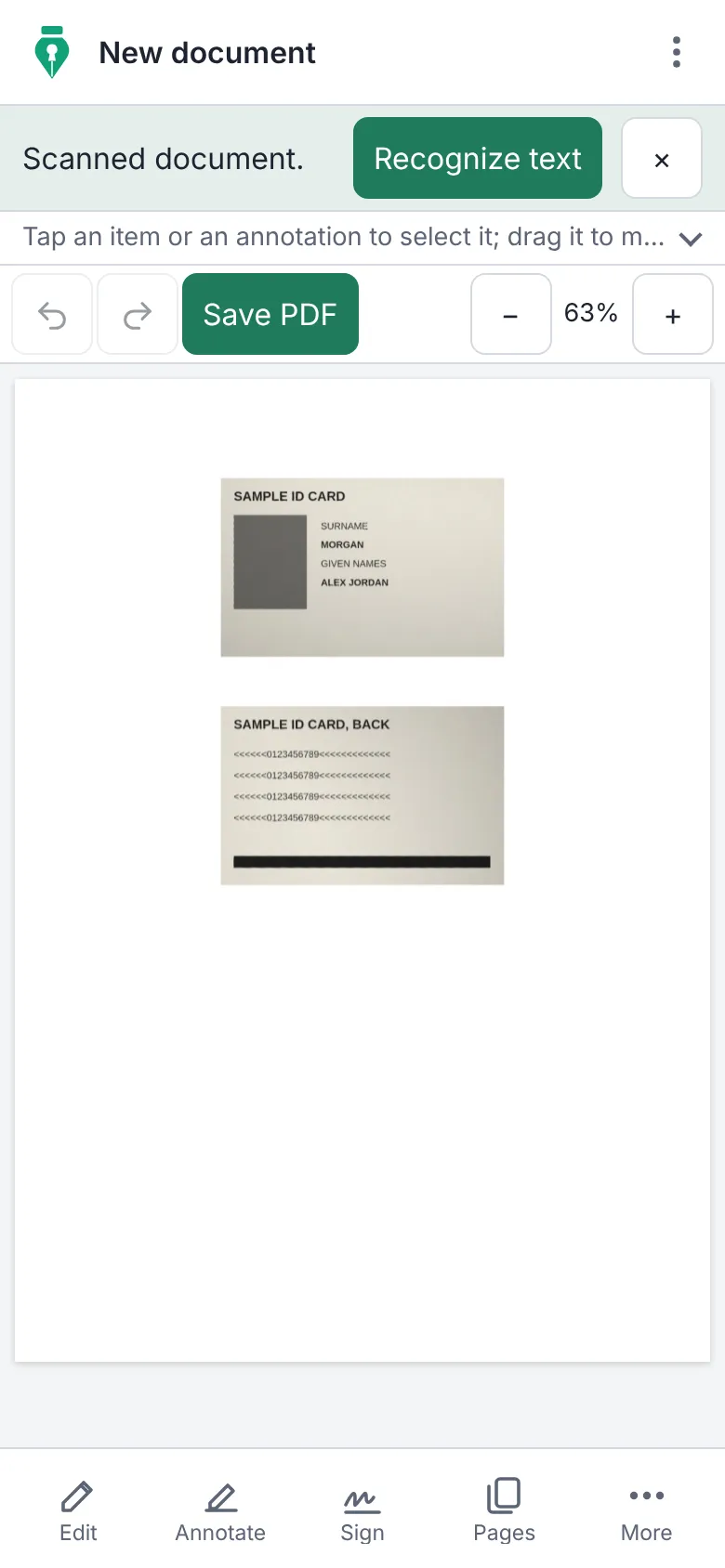
How to put both sides on one page
- Tap “Scan my ID card” to open the scanner.
- Tick the “ID card mode (both sides on one A4)” box.
- Take a photo of the front and then of the back, on a dark background. The app crops each side.
- Save the PDF: both sides end up together on one A4 page, at real size, ready to print or send.
Why do it with InkognitoPDF
Real size
Each side is placed at the size of a card, so the printed copy measures the same as the original.
Your ID is not uploaded
A photo of your ID on someone else's server is an identity theft risk. Here it is processed only on your phone.
Works with any card
National ID, driver's license, residence permit or work badge: any document the size of a card.
Frequently asked questions
Does it work with Aadhaar or PAN cards?
Yes. It works with any document the size of a credit card, such as an Aadhaar or PAN card, a driver's license or a national ID card.
Can I use photos I already have?
Yes. With ID card mode ticked, choose the two photos with “Choose images”: every two photos go together on one page.
Can I protect the PDF with a password?
Yes. Open it in the editor and add a password before you send it.
Other things you can do
- Sign a PDF Draw your signature or sign with a digital certificate.
- Scan a document Photos of paper to a clean black-and-white PDF.
- Edit the text of a PDF Change the text and keep its font, size and color.
- Merge PDF Combine several PDFs and put the pages in order.
- Compress a PDF Make it small enough for email or chat.
- Fill out a form Complete fields, checkboxes and lists, and sign.
- Redact personal data Really remove ID numbers, accounts and emails.
- Scanned PDF to text (OCR) Recognize the text so you can search and copy it.
- CamScanner alternative Scan with no watermark, no subscription and no cloud.
- iLovePDF alternative The everyday PDF tasks, without uploading files.