
OCR
Turn a scanned PDF into text, without uploading it
A scan is just a picture: you cannot search it or copy from it. OCR recognizes its letters on your device and adds the text to the PDF.
Recognize text now Free, no account, and your files are never uploaded.
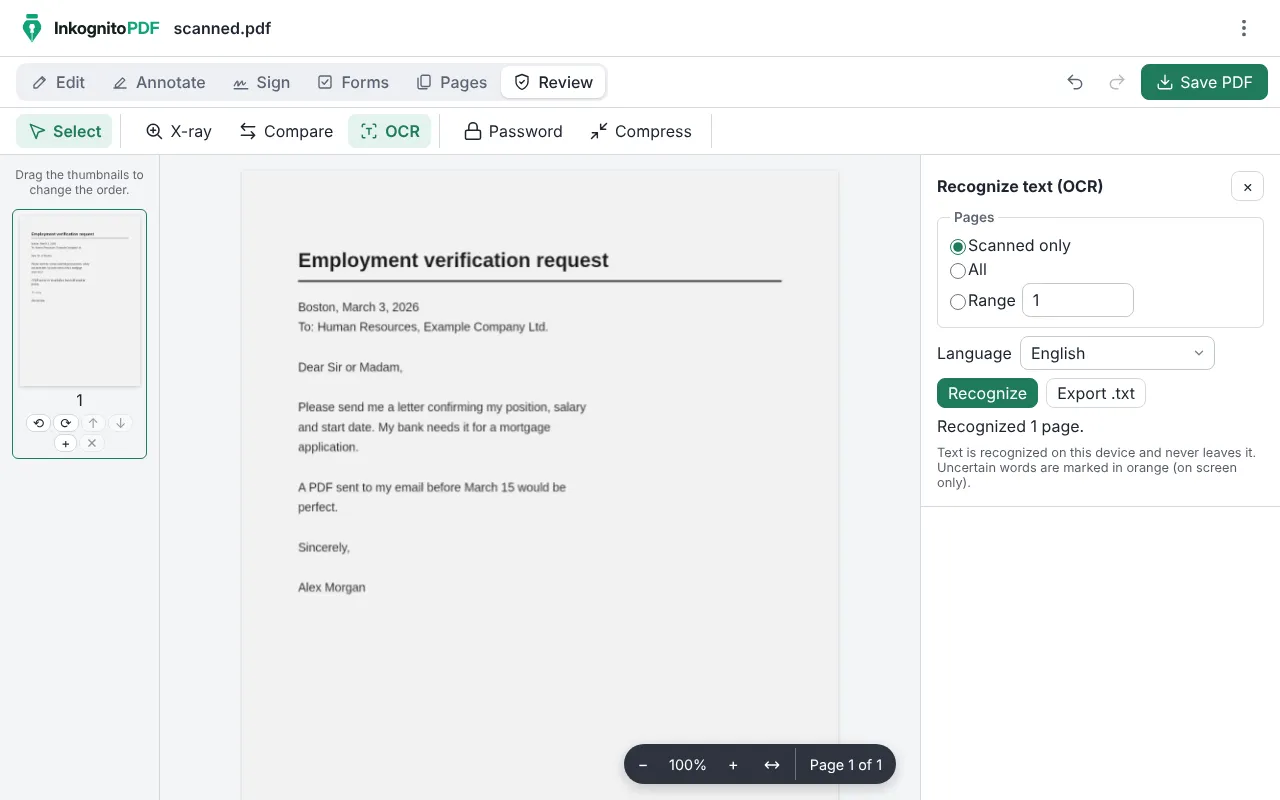
How to turn a scanned PDF into text
- Press “Recognize text now” and open the scanned PDF.
- In “Review”, press “OCR”. Choose the language: English, Spanish or both.
- Press “Recognize”. Uncertain words are marked in orange, on screen only, so you can check them.
- Save the PDF, which you can now search and copy from, or press “Export .txt” to keep just the text.
Why do it with InkognitoPDF
Recognized on your device
The recognition engine is downloaded from this same site the first time. Your pages are never sent anywhere.
Works offline
After the first time, OCR works even without internet.
Then edit
With the text recognized you can fix words on the scanned page, search it or redact personal data.
Frequently asked questions
Which languages does it recognize?
English and Spanish, separately or together in the same document.
Does it work with phone photos?
Yes. Scan them with the app’s scanner, tick “Recognize text (OCR)” and the PDF already comes with its text.
Can I convert it to Word?
No. InkognitoPDF does not convert to Word, but you can copy the recognized text, or export it to .txt, and paste it into your word processor.
Other things you can do
- Sign a PDF Draw your signature or sign with a digital certificate.
- Scan a document Photos of paper to a clean black-and-white PDF.
- Edit the text of a PDF Change the text and keep its font, size and color.
- Merge PDF Combine several PDFs and put the pages in order.
- Compress a PDF Make it small enough for email or chat.
- Fill out a form Complete fields, checkboxes and lists, and sign.
- Redact personal data Really remove ID numbers, accounts and emails.
- CamScanner alternative Scan with no watermark, no subscription and no cloud.
- Scan both sides of an ID card Front and back on one A4 page, at real size.
- iLovePDF alternative The everyday PDF tasks, without uploading files.