
Fill PDF form
Fill out a PDF form without printing it
Type in the fields, tick the boxes, pick from the lists and sign, with no printing or scanning. Your answers never leave your device.
Fill out a form Free, no account, and your files are never uploaded.
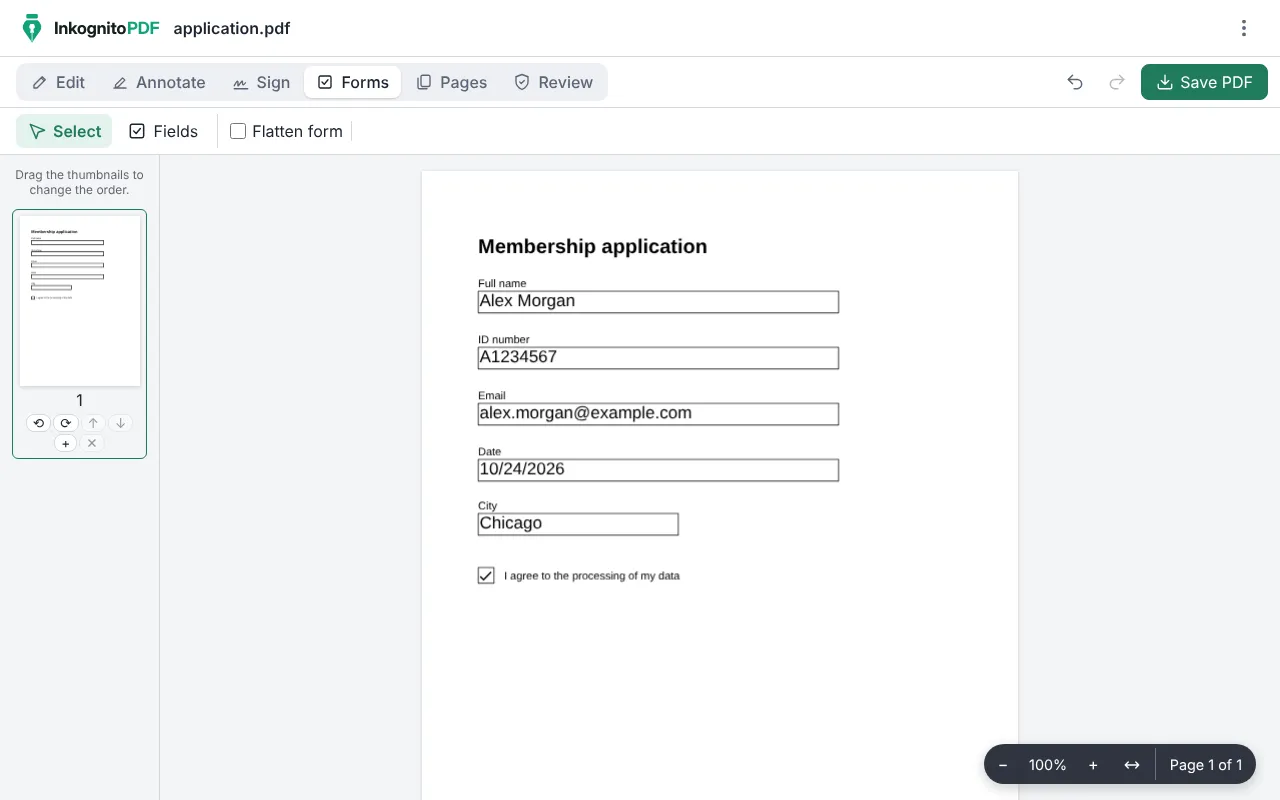
How to fill out a PDF form
- Press “Fill out a form” and open the PDF you were sent.
- Type in each field, tick the boxes and pick from the lists, right on the page.
- If the PDF has no fields, choose “Text” in “Edit” and type on the lines, or create the missing fields with “Fields”.
- Sign if needed, tick “Flatten form” so nobody can change the answers, and save the PDF.
Why do it with InkognitoPDF
No printing, no scanning
The form is completed on screen and stays readable, with each field’s font and size.
Your answers are yours
Applications and declarations ask for personal data. Here it is typed in your browser and sent nowhere.
Sign in the same place
Add a drawn signature or a digital signature with a certificate without switching tools.
Frequently asked questions
What if the PDF has no fields to fill in?
Choose “Text” and type anywhere on the page. You can also create real fields with “Fields”, in “Forms”.
What does flattening the form mean?
It turns the answers into part of the page: they can still be seen and printed, but no longer edited as fields.
Can I save it and finish later?
Yes. Save the PDF without flattening and open it again whenever you like: the fields keep what you typed.
Other things you can do
- Sign a PDF Draw your signature or sign with a digital certificate.
- Scan a document Photos of paper to a clean black-and-white PDF.
- Edit the text of a PDF Change the text and keep its font, size and color.
- Merge PDF Combine several PDFs and put the pages in order.
- Compress a PDF Make it small enough for email or chat.
- Redact personal data Really remove ID numbers, accounts and emails.
- Scanned PDF to text (OCR) Recognize the text so you can search and copy it.
- CamScanner alternative Scan with no watermark, no subscription and no cloud.
- Scan both sides of an ID card Front and back on one A4 page, at real size.
- iLovePDF alternative The everyday PDF tasks, without uploading files.