
Scan to PDF
Scan documents with your phone and save them as PDF
Take a photo of the page and get a sharp, straight, black-and-white PDF, like a photocopy. It all happens on your phone: the photos are not uploaded anywhere.
Scan a document Free, no account, and your files are never uploaded.
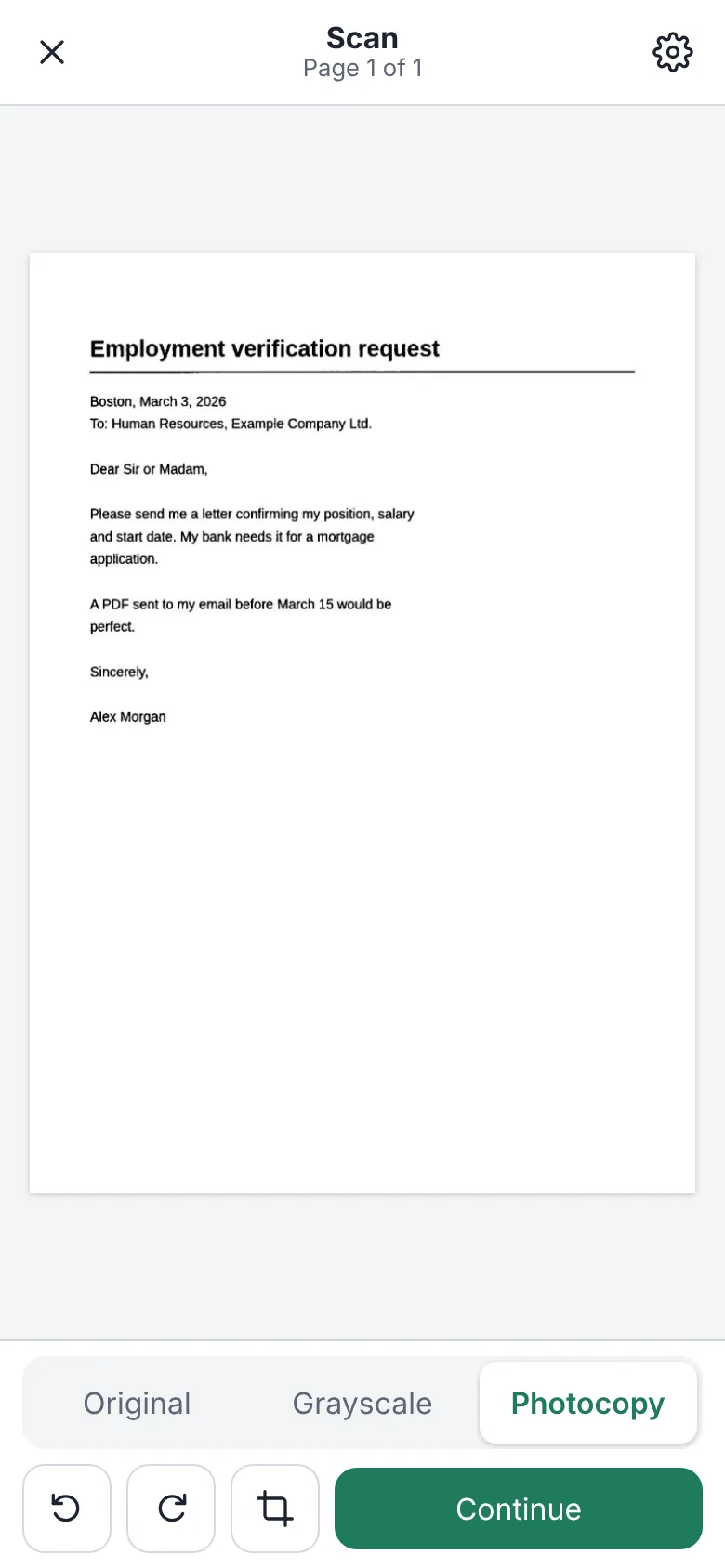
How to turn a photo into a PDF
- Tap “Scan a document” and take the photo with the camera, or choose photos you already have.
- The app finds the edges of the page and straightens it. If needed, adjust the corners by hand.
- Choose how it looks: Original, Grayscale or Photocopy, the clean black and white for paperwork.
- Add more pages if there are any and save the PDF. Turn on text recognition (OCR) if you want to search and copy the text.
Why do it with InkognitoPDF
Like a photocopy
Photocopy mode removes shadows and the gray of the paper and leaves the text black and sharp, ready to send or print.
Many pages in a row
With the live camera, the app takes the photo by itself when the page holds still. Go through the pages one after another and they all end up in the same PDF.
Searchable text
OCR recognizes English and Spanish text on your device, so you can search and copy it later.
Frequently asked questions
Does it work offline?
Yes, once the app is open. Text recognition is downloaded the first time you use it and then works offline.
Are the photos uploaded to a server?
No. The photo is processed on your phone and the PDF is saved there. Nobody else sees it.
Does it add a watermark?
No. It is free and open source, with no watermarks, no page limits and no account.
Other things you can do
- Sign a PDF Draw your signature or sign with a digital certificate.
- Edit the text of a PDF Change the text and keep its font, size and color.
- Merge PDF Combine several PDFs and put the pages in order.
- Compress a PDF Make it small enough for email or chat.
- Fill out a form Complete fields, checkboxes and lists, and sign.
- Redact personal data Really remove ID numbers, accounts and emails.
- Scanned PDF to text (OCR) Recognize the text so you can search and copy it.
- CamScanner alternative Scan with no watermark, no subscription and no cloud.
- Scan both sides of an ID card Front and back on one A4 page, at real size.
- iLovePDF alternative The everyday PDF tasks, without uploading files.